
[AUTO] Idea-to-Video
Creates a complete video automatically from a text idea using AI-powered story generation.
Workflow
Once submitted, Vimmerse automatically executes the following pipeline:
- Storyboard Generation - Creates a structured storyboard with characters, environments, objects, and scenes
- Element Image Creation - Generates consistent character, object, and environment images
- Scene Image Generation - Produces scene images based on the storyboard
- Narration Generation - Creates voice narrations for each scene (if enabled)
- Background Music - Generates appropriate background music (if enabled)
- Video Animation - Animates images into videos using the specified video tool
- Video Composition - Composes all scene videos into a final story video
Response
The API returns a story object containing:
id- Unique story identifier for tracking progressstatus- Current processing status (new,processing,success,fail)progress_percentage- Completion percentage (0-100)video_url- Final video URL (available when status issuccess)
Monitor progress using GET /story/{story_id} or configure a webhook_url for automatic notifications.
Parameters
| Parameter | Type | Required | Default | Description |
|---|---|---|---|---|
idea |
string | Yes | - | Detailed text description of your story concept. Be specific about characters, settings, actions, and style. |
scene_count |
integer | No | 3 | Number of scenes to generate. Maximum varies by subscription plan. |
image_tool |
string | No | "AutoI" | Image generation model. Options: AutoI, Seedream, FluxTurbo, NanoBanana, QwenImage |
video_tool |
string | No | "Auto" | Animation method. Options: Auto, KlingAI, VeoFast, Pixverse, Seedance, Vidu, AutoT1, VeoLite, PVideo. |
scene_duration |
integer | No | 5 | Duration per scene in seconds: 5 or 10. Ignored when narration is enabled. |
aspect_ratio |
string | No | "16:9" | Video aspect ratio. Options: 16:9, 4:3, 1:1, 3:4, 9:16 |
is_transition |
boolean | No | false | If true, creates transition videos between scene images. |
elements |
object | No | null | Initial elements: { "objects": [...], "characters": [...], "environments": [...] }. Useful for product placement or character consistency. |
audio_option |
object | No | { "has_bg_music": true, "has_narration": true, "native_audio": false, "narrator": "AutoV" } |
Audio configuration: has_bg_music, has_narration, native_audio, narrator. |
language |
string | No | "English" | Language for narration and storyboard generation. |
title |
string | No | "" | Optional title for your story. |
webhook_url |
string | No | null | URL to receive completion notification via POST request. |
The API accepts JSON body (Content-Type: application/json).
Example Request
import requests

url = "https://api.vimmerse.net/story/idea-2-video"
headers = {"X-Api-Key": "YOUR_API_KEY", "Content-Type": "application/json"}

payload = {
    "idea": "Create a realistic winter commercial for SkinRevive Moisturiser set in snowy mountains. Three girls are on a winter camping trip. Show two girls outside the camp, dressed in warm jackets, taking fun photos together in the snowy mountains. Soft snowfall, visible cold breath, playful interaction. Meanwhile, one girl is sitting inside the tent, wrapped in a blanket, looking hesitant and afraid to step outside because of the cold and her dry, irritated hands. She peeks out while the others call her to join, but she hesitates. Then one girl comes inside the tent, sits with her, smiles, and shows SkinRevive Moisturiser. She gently applies it on her friend's dry hands. Show close-up macro shots: smooth creamy texture, instant hydration, natural skin transformation. The inside girl now feels confident. She steps outside slowly, smiles, and joins her friends. Show them laughing, posing, and taking photos of each other against the beautiful snowy mountain background. Natural warm emotions, winter glow, soft daylight. End with a clean hero shot of SkinRevive Moisturiser placed on a wooden camping table with snowflakes falling softly around it. Cinematic, high-detail, warm winter storytelling mood.",
    "title": "SkinRevive Winter Commercial",
    "aspect_ratio": "9:16",
    "scene_count": 5,
    "image_tool": "Seedream",
    "video_tool": "Auto",
    "scene_duration": 5,
    "audio_option": {"has_bg_music": True, "has_narration": False, "native_audio": True},
    "elements": {
        "objects": [
            {
                "name": "SkinRevive Moisturiser",
                "description": "Style:cinematic, In a sleek glass jar with a frosted finish and an elegant silver lid. The luxurious cream has a marbled white color, giving an aura of purity and soothing relief. Its rich formulation is the solution to winter's touch.",
                "image_url": "https://dev-media.vimmerse.net/vimmerse-product/ai_images/4a6b359a-c347-4453-a6ff-109cd8616dc4/8i9vvs4.png"
            }
        ]
    },
    "language": "English",
}

try:
    response = requests.post(url, headers=headers, json=payload, timeout=60)
    response.raise_for_status()

    result = response.json()
    story_data = result["data"]

    print(f"Story ID: {story_data['id']}")
    print(f"Status: {story_data['status']}")
    print(f"Used Credits: {story_data['used_credits']}")

except requests.exceptions.HTTPError as e:
    print(f"HTTP Error: {e}")
    print(f"Response: {e.response.text}")
except requests.exceptions.RequestException as e:
    print(f"Request failed: {e}")
Complete Example with Polling
This complete example creates a story, polls for completion, and downloads the final video:
import requests
import json
import time

BASE_URL = "https://api.vimmerse.net"
API_KEY = "YOUR_API_KEY"

# Step 1: Create the story (JSON body)
url = f"{BASE_URL}/story/idea-2-video"
headers = {"X-Api-Key": API_KEY, "Content-Type": "application/json"}

payload = {
    "idea": "Create a realistic winter commercial for SkinRevive Moisturiser set in snowy mountains. Three girls are on a winter camping trip. Show two girls outside the camp, dressed in warm jackets, taking fun photos together in the snowy mountains. Soft snowfall, visible cold breath, playful interaction. Meanwhile, one girl is sitting inside the tent, wrapped in a blanket, looking hesitant and afraid to step outside because of the cold and her dry, irritated hands. She peeks out while the others call her to join, but she hesitates. Then one girl comes inside the tent, sits with her, smiles, and shows SkinRevive Moisturiser. She gently applies it on her friend's dry hands. Show close-up macro shots: smooth creamy texture, instant hydration, natural skin transformation. The inside girl now feels confident. She steps outside slowly, smiles, and joins her friends. Show them laughing, posing, and taking photos of each other against the beautiful snowy mountain background. Natural warm emotions, winter glow, soft daylight. End with a clean hero shot of SkinRevive Moisturiser placed on a wooden camping table with snowflakes falling softly around it. Cinematic, high-detail, warm winter storytelling mood.",
    "title": "SkinRevive Winter Commercial",
    "aspect_ratio": "9:16",
    "scene_count": 5,
    "image_tool": "Seedream",
    "video_tool": "Auto",
    "scene_duration": 5,
    "audio_option": {"has_bg_music": True, "has_narration": False, "native_audio": True},
    "language": "English"
}

print("Creating story...")
try:
    response = requests.post(url, headers=headers, json=payload, timeout=60)
    response.raise_for_status()

    result = response.json()
    story_data = result["data"]
    story_id = story_data["id"]

    print(f"✓ Story created successfully!")
    print(f"  Story ID: {story_id}")
    print(f"  Status: {story_data['status']}")
    print(f"  Used Credits: {story_data['used_credits']}")

except requests.exceptions.HTTPError as e:
    print(f"✗ HTTP Error: {e}")
    if e.response is not None:
        print(f"  Response: {e.response.text}")
    exit(1)
except requests.exceptions.RequestException as e:
    print(f"✗ Request failed: {e}")
    exit(1)

# Step 2: Poll for completion
print("\nPolling for story completion...")
max_attempts = 120  # Maximum 60 minutes (120 * 30 seconds)
attempt = 0
poll_interval = 30  # Check every 30 seconds

def get_story_status(story_id):
    """Retrieve the current status of a story."""
    url = f"{BASE_URL}/story/{story_id}"
    headers = {"X-Api-Key": API_KEY}

    try:
        response = requests.get(url, headers=headers, timeout=30)
        response.raise_for_status()
        return response.json()["data"]
    except requests.exceptions.RequestException as e:
        print(f"  Warning: Error retrieving status: {e}")
        return None

while attempt < max_attempts:
    story_data = get_story_status(story_id)

    if not story_data:
        print(f"  Attempt {attempt + 1}/{max_attempts}: Failed to retrieve status, retrying...")
        time.sleep(poll_interval)
        attempt += 1
        continue

    status = story_data.get("status")
    progress = story_data.get("progress_percentage", 0)

    print(f"  Attempt {attempt + 1}/{max_attempts}: Status={status}, Progress={progress}%")

    if status == "success":
        video_url = story_data.get("video_url")
        if video_url:
            print(f"\n✓ Story completed successfully!")
            print(f"  Video URL: {video_url}")

            # Step 3: Download the video
            print("\nDownloading video...")
            try:
                video_response = requests.get(video_url, stream=True, timeout=60)
                video_response.raise_for_status()

                output_path = "story_video.mp4"
                total_size = int(video_response.headers.get('content-length', 0))
                downloaded = 0

                with open(output_path, "wb") as f:
                    for chunk in video_response.iter_content(chunk_size=8192):
                        if chunk:
                            f.write(chunk)
                            downloaded += len(chunk)
                            if total_size > 0:
                                percent = (downloaded / total_size) * 100
                                print(f"  Download progress: {percent:.1f}%", end="\r")

                print(f"\n✓ Video downloaded successfully!")
                print(f"  Saved to: {output_path}")
                print(f"  File size: {downloaded / (1024 * 1024):.2f} MB")

            except Exception as e:
                print(f"\n✗ Error downloading video: {e}")
            break
        else:
            print("  Warning: Story completed but video_url is not available yet. Waiting...")
            time.sleep(poll_interval)
            attempt += 1
            continue
    elif status == "fail":
        print(f"\n✗ Story generation failed.")
        print(f"  Please check the story details for more information.")
        print(f"  Story ID: {story_id}")
        exit(1)

    time.sleep(poll_interval)
    attempt += 1

if attempt >= max_attempts:
    print(f"\n⚠ Timeout: Story generation is taking longer than expected.")
    print(f"  Story ID: {story_id}")
    print(f"  Please check the status later using: GET {BASE_URL}/story/{story_id}")
Error Handling
The API may return the following HTTP status codes:
200- Success. Story creation initiated.400- Bad Request. Invalid parameters or missing required fields.402- Payment Required. Insufficient credits in your account.429- Too Many Requests. Rate limit exceeded or concurrency limit reached.500- Internal Server Error. Please retry or contact support.
header Parameters
Authorization (string) or Authorization (null) (Authorization) | |
Username (string) or Username (null) (Username) | |
X-Client-Type (string) or X-Client-Type (null) (X-Client-Type) |
Request Body schema: application/jsonrequired
Story Object
Bad Request
Insufficient Credit
Validation Error
- curl
- JavaScript
- Python
- Go
- Node.js
- 200
- 400
- 402
- 422
{- "data": {
- "id": "abc123-def456-ghi789",
- "title": "Winter Commercial Story",
- "is_transition": false,
- "idea": "Create a realistic winter commercial for SkinRevive Moisturiser set in snowy mountains",
- "used_credits": 300,
- "progress_percentage": 0,
- "status": "new",
- "video_url": "",
- "created_at": "2026-02-06 02:05:40.985431+00:00",
- "updated_at": "2026-02-06 02:05:40.985431+00:00"
}
}[AUTO] URL-to-Video
Creates a complete video automatically from a website URL and idea prompt.
This endpoint analyzes the provided website URL and generates a video based on your idea description. It's ideal for creating marketing videos, product showcases, or brand commercials.
Workflow
The generation pipeline is identical to idea-2-video:
- Storyboard Generation - Creates a structured storyboard
- Element Image Creation - Generates consistent visual elements
- Scene Image Generation - Produces scene images
- Narration Generation - Creates voice narrations (if enabled)
- Background Music - Generates background music (if enabled)
- Video Animation - Animates images into videos
- Video Composition - Composes final story video
Parameters
| Parameter | Type | Required | Default | Description |
|---|---|---|---|---|
idea |
string | Yes | - | Text description including the website URL. Example: "Create a marketing video for https://www.example.com highlighting their product features" |
scene_count |
integer | No | 3 | Number of scenes to generate |
image_tool |
string | No | "Seedream" | Image generation model |
video_tool |
string | No | "Auto" | Animation method |
scene_duration |
integer | No | 5 | Duration per scene in seconds: 5 or 10 |
aspect_ratio |
string | No | "16:9" | Video aspect ratio |
is_transition |
boolean | No | false | Enable transition videos between scenes |
elements |
object | No | null | Initial elements: { "objects": [...], "characters": [...], "environments": [...] } |
audio_option |
object | No | See audio options | Audio configuration |
language |
string | No | "English" | Narration language |
title |
string | No | "" | Story title |
webhook_url |
string | No | null | Webhook URL for completion notification |
The API accepts JSON body (Content-Type: application/json).
Example Request
import requests

url = "https://api.vimmerse.net/story/url-2-video"
headers = {"X-Api-Key": "YOUR_API_KEY", "Content-Type": "application/json"}

payload = {
    "idea": "Create a marketing video for https://www.vimmerse.net/ highlighting the AI Video production capabilities on platform using best AI image and video tools. Showcase the platform's features, user interface, and generated video examples.",
    "title": "Vimmerse Platform Showcase",
    "aspect_ratio": "16:9",
    "scene_count": 3,
    "image_tool": "Seedream",
    "video_tool": "Auto",
    "scene_duration": 5,
    "audio_option": {"has_bg_music": True, "has_narration": True, "native_audio": False, "narrator": "AutoV"},
    "elements": {
        "objects": [
            {
                "name": "Logo",
                "description": "Vimmerse Logo",
                "image_url": "https://distribution.vimmerse.net/presets/logo/vimmerse_logo.png"
            }
        ]
    },
    "language": "English"
}

try:
    response = requests.post(url, headers=headers, json=payload, timeout=60)
    response.raise_for_status()

    result = response.json()
    print(f"Story created: {result['data']['id']}")

except requests.exceptions.RequestException as e:
    print(f"Error: {e}")
Complete Example with Polling
This complete example creates a story from a URL, polls for completion, and downloads the final video:
import requests
import json
import time

BASE_URL = "https://api.vimmerse.net"
API_KEY = "YOUR_API_KEY"

# Step 1: Create the story (JSON body)
url = f"{BASE_URL}/story/url-2-video"
headers = {"X-Api-Key": API_KEY, "Content-Type": "application/json"}

payload = {
    "idea": "Create a marketing video for https://www.vimmerse.net/ highlighting the AI Video production capabilities on platform using best AI image and video tools. Showcase the platform's features, user interface, and generated video examples.",
    "title": "Vimmerse Platform Showcase",
    "aspect_ratio": "16:9",
    "scene_count": 3,
    "image_tool": "Seedream",
    "video_tool": "Auto",
    "scene_duration": 5,
    "audio_option": {"has_bg_music": True, "has_narration": True, "native_audio": False, "narrator": "AutoV"},
    "language": "English"
}

print("Creating story from URL...")
try:
    response = requests.post(url, headers=headers, json=payload, timeout=60)
    response.raise_for_status()

    result = response.json()
    story_data = result["data"]
    story_id = story_data["id"]

    print(f"✓ Story created successfully!")
    print(f"  Story ID: {story_id}")
    print(f"  Status: {story_data['status']}")
    print(f"  Used Credits: {story_data['used_credits']}")

except requests.exceptions.HTTPError as e:
    print(f"✗ HTTP Error: {e}")
    if e.response is not None:
        print(f"  Response: {e.response.text}")
    exit(1)
except requests.exceptions.RequestException as e:
    print(f"✗ Request failed: {e}")
    exit(1)

# Step 2: Poll for completion
print("\nPolling for story completion...")
max_attempts = 120  # Maximum 60 minutes
attempt = 0
poll_interval = 30  # Check every 30 seconds

def get_story_status(story_id):
    """Retrieve the current status of a story."""
    url = f"{BASE_URL}/story/{story_id}"
    headers = {"X-Api-Key": API_KEY}

    try:
        response = requests.get(url, headers=headers, timeout=30)
        response.raise_for_status()
        return response.json()["data"]
    except requests.exceptions.RequestException as e:
        print(f"  Warning: Error retrieving status: {e}")
        return None

while attempt < max_attempts:
    story_data = get_story_status(story_id)

    if not story_data:
        print(f"  Attempt {attempt + 1}/{max_attempts}: Failed to retrieve status, retrying...")
        time.sleep(poll_interval)
        attempt += 1
        continue

    status = story_data.get("status")
    progress = story_data.get("progress_percentage", 0)

    print(f"  Attempt {attempt + 1}/{max_attempts}: Status={status}, Progress={progress}%")

    if status == "success":
        video_url = story_data.get("video_url")
        if video_url:
            print(f"\n✓ Story completed successfully!")
            print(f"  Video URL: {video_url}")

            # Step 3: Download the video
            print("\nDownloading video...")
            try:
                video_response = requests.get(video_url, stream=True, timeout=60)
                video_response.raise_for_status()

                output_path = "url_story_video.mp4"
                total_size = int(video_response.headers.get('content-length', 0))
                downloaded = 0

                with open(output_path, "wb") as f:
                    for chunk in video_response.iter_content(chunk_size=8192):
                        if chunk:
                            f.write(chunk)
                            downloaded += len(chunk)
                            if total_size > 0:
                                percent = (downloaded / total_size) * 100
                                print(f"  Download progress: {percent:.1f}%", end="\r")

                print(f"\n✓ Video downloaded successfully!")
                print(f"  Saved to: {output_path}")
                print(f"  File size: {downloaded / (1024 * 1024):.2f} MB")

            except Exception as e:
                print(f"\n✗ Error downloading video: {e}")
            break
        else:
            print("  Warning: Story completed but video_url is not available yet. Waiting...")
            time.sleep(poll_interval)
            attempt += 1
            continue
    elif status == "fail":
        print(f"\n✗ Story generation failed.")
        print(f"  Story ID: {story_id}")
        exit(1)

    time.sleep(poll_interval)
    attempt += 1

if attempt >= max_attempts:
    print(f"\n⚠ Timeout: Story generation is taking longer than expected.")
    print(f"  Story ID: {story_id}")
    print(f"  Please check the status later using: GET {BASE_URL}/story/{story_id}")
header Parameters
Authorization (string) or Authorization (null) (Authorization) | |
Username (string) or Username (null) (Username) | |
X-Client-Type (string) or X-Client-Type (null) (X-Client-Type) |
Request Body schema: application/jsonrequired
Story Object
Bad Request
Insufficient Credit
Validation Error
- curl
- JavaScript
- Python
- Go
- Node.js
- 200
- 400
- 402
- 422
{- "data": {
- "id": "xyz789-abc123-def456",
- "title": "Website Commercial",
- "is_transition": false,
- "idea": "Create a cool, modern commercial-style video for https://www.dominos.com/",
- "used_credits": 300,
- "progress_percentage": 0,
- "status": "new",
- "video_url": "",
- "created_at": "2026-02-06 02:05:40.985431+00:00",
- "updated_at": "2026-02-06 02:05:40.985431+00:00"
}
}[AUTO] Images-to-Video
Generates a story video using both your idea and a set of existing images.
This endpoint is ideal when you want to:
- Maintain character consistency using your own images
- Use a specific art style as reference
- Animate existing artwork or product photos
- Create videos from a series of related images
Workflow
- Accepts Images - Takes your provided images and idea description
- Generates Narrations - Creates appropriate voice narrations for each scene (if enabled)
- Creates Background Music - Generates matching background music (if enabled)
- Animates Images - Converts each image into an animated video with motion
- Composes Final Video - Combines all scene videos into a final story video
Parameters
| Parameter | Type | Required | Default | Description |
|---|---|---|---|---|
idea |
string | Yes | - | Text description of your story concept |
image_urls |
array[string] | Yes | [] | Array of publicly accessible image URLs. URLs must be accessible without authentication. |
video_tool |
string | No | "Auto" | Animation method |
is_transition |
boolean | No | false | Create transition videos between scenes |
scene_duration |
integer | No | 5 | Duration per scene in seconds: 5 or 10 |
aspect_ratio |
string | No | "16:9" | Video aspect ratio |
audio_option |
object | No | { "has_bg_music": true, "has_narration": true, "native_audio": false, "narrator": "AutoV" } |
Audio configuration |
language |
string | No | "English" | Narration language |
title |
string | No | "" | Story title |
webhook_url |
string | No | null | Webhook URL for completion notification |
image_urls is required.
Audio Option Usage Examples
Example 1: Background Music Only
{
    "has_bg_music": true,
    "has_narration": false,
    "native_audio": false
}
Example 2: Narration with Background Music
{
    "has_bg_music": true,
    "has_narration": true,
    "native_audio": false,
    "narrator": "Rachel"
}
Example 3: Native Audio (Sound Effects + Lip Sync)
{
    "has_bg_music": true,
    "has_narration": false,
    "native_audio": true
}
Example 4: No Audio
{
    "has_bg_music": false,
    "has_narration": false,
    "native_audio": false
}
Available narrators: AutoV, Rachel, Aria, Roger, Sarah, Laura, Charlie, George, Callum, River, Liam, Charlotte, Alice, Matilda, Will, Jessica, Eric, Chris, Brian, Daniel, Lily, Bill
The API accepts JSON body (Content-Type: application/json) for the easiest client experience. Simply send a JSON object with your parameters:
Example: JSON Request (Recommended)
import requests

url = "https://api.vimmerse.net/story/images-2-video"
headers = {
    "X-Api-Key": "YOUR_API_KEY",
    "Content-Type": "application/json",
}

payload = {
    "idea": "Cinematic product-only smoothie promo: fresh berries, bananas, and oranges falling onto rustic wooden table in slow-motion, glass blender mixing fruits with smoothie swirling inside, smoothie pouring from blender into glass with condensation, pink smoothie glass showcased on wooden table in top-down and angled shots, cinematic lighting, photorealistic textures, colorful and vibrant, no humans, final branding overlay with tagline 'Freshness in Every Sip', 16:9, consistent warm cinematic glow across all scenes",
    "image_urls": [
        "https://media.vimmerse.net/vimmerse-product/assets/a979b86e-abf2-476e-b1ec-3a13657caee9/uploads/20250924_101637_7c5ygv.jpg",
        "https://media.vimmerse.net/vimmerse-product/assets/a979b86e-abf2-476e-b1ec-3a13657caee9/uploads/20250924_101654_jpj5wi.jpg",
        "https://media.vimmerse.net/vimmerse-product/assets/a979b86e-abf2-476e-b1ec-3a13657caee9/uploads/20250924_101711_3tw2er.jpg",
        "https://media.vimmerse.net/vimmerse-product/assets/a979b86e-abf2-476e-b1ec-3a13657caee9/uploads/20250924_101742_vkcfl9.jpg",
        "https://media.vimmerse.net/vimmerse-product/assets/a979b86e-abf2-476e-b1ec-3a13657caee9/uploads/20250924_101802_75q49f.jpg",
        "https://media.vimmerse.net/vimmerse-product/assets/a979b86e-abf2-476e-b1ec-3a13657caee9/uploads/20250924_101837_jhqbhc.jpg",
        "https://media.vimmerse.net/vimmerse-product/assets/a979b86e-abf2-476e-b1ec-3a13657caee9/uploads/20250924_102132_s8xzfv.jpg",
    ],
    "title": "Promo Video Showcase",
    "aspect_ratio": "16:9",
    "video_tool": "Auto",
    "is_transition": True,
    "scene_duration": 5,
    "audio_option": {"has_bg_music": True, "has_narration": True, "native_audio": False},
    "language": "English",
}

response = requests.post(url, headers=headers, json=payload, timeout=60)
response.raise_for_status()

result = response.json()
story_data = result["data"]
print(f"Story created! ID: {story_data['id']}, Scenes: {story_data.get('scene_count', len(payload['image_urls']))}")
Complete Example with Polling
This complete example creates a story from images, polls for completion, and downloads the final video:
import requests
import json
import time

BASE_URL = "https://api.vimmerse.net"
API_KEY = "YOUR_API_KEY"

# Step 1: Create the story from images (JSON body)
url = f"{BASE_URL}/story/images-2-video"
headers = {"X-Api-Key": API_KEY, "Content-Type": "application/json"}

payload = {
    "idea": "Cinematic product-only smoothie promo: fresh berries, bananas, and oranges falling onto rustic wooden table in slow-motion, glass blender mixing fruits with smoothie swirling inside, smoothie pouring from blender into glass with condensation, pink smoothie glass showcased on wooden table in top-down and angled shots, cinematic lighting, photorealistic textures, colorful and vibrant, no humans, final branding overlay with tagline 'Freshness in Every Sip', 16:9, consistent warm cinematic glow across all scenes",
    "image_urls": [
        "https://media.vimmerse.net/vimmerse-product/assets/a979b86e-abf2-476e-b1ec-3a13657caee9/uploads/20250924_101637_7c5ygv.jpg",
        "https://media.vimmerse.net/vimmerse-product/assets/a979b86e-abf2-476e-b1ec-3a13657caee9/uploads/20250924_101654_jpj5wi.jpg",
        "https://media.vimmerse.net/vimmerse-product/assets/a979b86e-abf2-476e-b1ec-3a13657caee9/uploads/20250924_101711_3tw2er.jpg",
        "https://media.vimmerse.net/vimmerse-product/assets/a979b86e-abf2-476e-b1ec-3a13657caee9/uploads/20250924_101742_vkcfl9.jpg",
        "https://media.vimmerse.net/vimmerse-product/assets/a979b86e-abf2-476e-b1ec-3a13657caee9/uploads/20250924_101802_75q49f.jpg",
        "https://media.vimmerse.net/vimmerse-product/assets/a979b86e-abf2-476e-b1ec-3a13657caee9/uploads/20250924_101837_jhqbhc.jpg",
        "https://media.vimmerse.net/vimmerse-product/assets/a979b86e-abf2-476e-b1ec-3a13657caee9/uploads/20250924_102132_s8xzfv.jpg",
    ],
    "title": "Promo Video Showcase",
    "aspect_ratio": "16:9",
    "video_tool": "Auto",
    "is_transition": True,
    "scene_duration": 5,
    "audio_option": {"has_bg_music": True, "has_narration": True, "native_audio": False},
    "language": "English",
}

print("Creating story from images...")
try:
    response = requests.post(url, headers=headers, json=payload, timeout=60)
    response.raise_for_status()

    result = response.json()
    story_data = result["data"]
    story_id = story_data["id"]

    print(f"✓ Story created successfully!")
    print(f"  Story ID: {story_id}")
    print(f"  Status: {story_data['status']}")
    print(f"  Scenes: {story_data.get('scene_count', len(payload['image_urls']))}")
    print(f"  Used Credits: {story_data['used_credits']}")

except requests.exceptions.HTTPError as e:
    print(f"✗ HTTP Error: {e}")
    if e.response is not None:
        print(f"  Response: {e.response.text}")
    exit(1)
except requests.exceptions.RequestException as e:
    print(f"✗ Request failed: {e}")
    exit(1)

# Step 2: Poll for completion
print("\nPolling for story completion...")
max_attempts = 120  # Maximum 60 minutes
attempt = 0
poll_interval = 30  # Check every 30 seconds

def get_story_status(story_id):
    """Retrieve the current status of a story."""
    url = f"{BASE_URL}/story/{story_id}"
    headers = {"X-Api-Key": API_KEY}

    try:
        response = requests.get(url, headers=headers, timeout=30)
        response.raise_for_status()
        return response.json()["data"]
    except requests.exceptions.RequestException as e:
        print(f"  Warning: Error retrieving status: {e}")
        return None

while attempt < max_attempts:
    story_data = get_story_status(story_id)

    if not story_data:
        print(f"  Attempt {attempt + 1}/{max_attempts}: Failed to retrieve status, retrying...")
        time.sleep(poll_interval)
        attempt += 1
        continue

    status = story_data.get("status")
    progress = story_data.get("progress_percentage", 0)

    print(f"  Attempt {attempt + 1}/{max_attempts}: Status={status}, Progress={progress}%")

    if status == "success":
        video_url = story_data.get("video_url")
        if video_url:
            print(f"\n✓ Story completed successfully!")
            print(f"  Video URL: {video_url}")

            # Step 3: Download the video
            print("\nDownloading video...")
            try:
                video_response = requests.get(video_url, stream=True, timeout=60)
                video_response.raise_for_status()

                output_path = "images_story_video.mp4"
                total_size = int(video_response.headers.get('content-length', 0))
                downloaded = 0

                with open(output_path, "wb") as f:
                    for chunk in video_response.iter_content(chunk_size=8192):
                        if chunk:
                            f.write(chunk)
                            downloaded += len(chunk)
                            if total_size > 0:
                                percent = (downloaded / total_size) * 100
                                print(f"  Download progress: {percent:.1f}%", end="\r")

                print(f"\n✓ Video downloaded successfully!")
                print(f"  Saved to: {output_path}")
                print(f"  File size: {downloaded / (1024 * 1024):.2f} MB")

            except Exception as e:
                print(f"\n✗ Error downloading video: {e}")
            break
        else:
            print("  Warning: Story completed but video_url is not available yet. Waiting...")
            time.sleep(poll_interval)
            attempt += 1
            continue
    elif status == "fail":
        print(f"\n✗ Story generation failed.")
        print(f"  Story ID: {story_id}")
        exit(1)

    time.sleep(poll_interval)
    attempt += 1

if attempt >= max_attempts:
    print(f"\n⚠ Timeout: Story generation is taking longer than expected.")
    print(f"  Story ID: {story_id}")
    print(f"  Please check the status later using: GET {BASE_URL}/story/{story_id}")
Image Requirements
- Format: JPEG, PNG, WebP
- Size: Recommended minimum 1024x1024 pixels
- Aspect Ratio: Images will be cropped/resized to match the specified
aspect_ratio - Accessibility: Image URLs must be publicly accessible (no authentication required)
Error Handling
400- Missing required parameters (ideaor images)402- Insufficient credits429- Rate limit or concurrency limit exceeded
header Parameters
Authorization (string) or Authorization (null) (Authorization) | |
Username (string) or Username (null) (Username) | |
X-Client-Type (string) or X-Client-Type (null) (X-Client-Type) |
Request Body schema: application/jsonrequired
Story Object
Bad Request
Insufficient Credit
Validation Error
- curl
- JavaScript
- Python
- Go
- Node.js
- 200
- 400
- 402
- 422
{- "data": {
- "id": "img123-vid456-story789",
- "title": "Product Showcase",
- "is_transition": false,
- "idea": "Cinematic product-only smoothie promo showcasing fresh ingredients",
- "used_credits": 700,
- "progress_percentage": 0,
- "status": "new",
- "video_url": "",
- "created_at": "2026-02-06 02:05:40.985431+00:00",
- "updated_at": "2026-02-06 02:05:40.985431+00:00"
}
}[ADVANCED] Step 1 - Create Storyboard
Creates a new storyboard (Step 1 of Advanced Mode) based on your idea and/or images.
This is the first step in the Advanced Mode workflow, providing granular control over the story generation process.
What It Does
- Generates Storyboard - Creates a complete storyboard structure with:
- Characters with detailed descriptions
- Environments (settings/locations)
- Objects (props, items)
- Scenes with image descriptions, narrations, and camera movements
- Creates Narrations - Generates voice-over text for each scene
- Defines Camera Work - Specifies camera angles and movements for each scene
- Sets Audio Options - Configures background music and narration settings
Next Steps
After creating the storyboard, proceed with:
- Optional:
POST /story/{story_id}/elements- Generate element images for visual consistency - Required:
POST /story/{story_id}/scenes- Generate scene images and narrations - Required:
POST /story/{story_id}/videos- Create videos from the scenes
Parameters
| Parameter | Type | Required | Default | Description |
|---|---|---|---|---|
idea |
string | Yes | - | Your story concept or narrative |
scene_count |
integer | No | 3 | Number of scenes to generate. Ignored if images are provided. |
language |
string | No | "English" | Language for storyboard generation |
audio_option |
string (JSON) | No | { "has_bg_music": true, "has_narration": true, "native_audio": false, "narrator": "AutoV" } |
Audio configuration |
elements |
string (JSON) | No | null | Pre-defined elements (characters, objects, environments) |
image_urls |
array[string] | No | [] | Array of image URLs. If provided, scene_count matches image count. |
image_files |
array[file] | No | [] | Upload image files directly. Alternative to image_urls. |
story_id |
string | No | null | Story ID to continue from (for editing existing stories) |
Default Audio Options
{
    "has_bg_music": true,
    "has_narration": true,
    "native_audio": false,
    "narrator": "AutoV"
}
Example 1: Create Storyboard from Idea
import requests
import json

url = "https://api.vimmerse.net/story"
headers = {"X-Api-Key": "YOUR_API_KEY"}

payload = {
    "idea": "Create a promotional video where cute animals play musical instruments in a sunny meadow",
    "scene_count": 3,
    "title": "Musical Animals",
    "language": "English",
    "audio_option": json.dumps({
        "has_bg_music": True,
        "has_narration": True,
        "native_audio": False,
        "narrator": "AutoV"
    })
}

try:
    response = requests.post(url, headers=headers, data=payload, timeout=60)
    response.raise_for_status()

    result = response.json()
    story_data = result["data"]
    story_id = story_data["id"]

    print(f"Storyboard created! Story ID: {story_id}")
    print(f"Scenes: {len(story_data.get('storyboard', {}).get('scenes', []))}")

except requests.exceptions.RequestException as e:
    print(f"Error: {e}")
Example 2: Create Storyboard with Images
import requests

url = "https://api.vimmerse.net/story"
headers = {"X-Api-Key": "YOUR_API_KEY"}

payload = {
    "idea": "Create a promotional video showcasing these beautiful landscapes",
    "title": "Landscape Story",
    "image_urls": [
        "https://example.com/images/landscape1.jpg",
        "https://example.com/images/landscape2.jpg",
        "https://example.com/images/landscape3.jpg"
    ]
}

try:
    response = requests.post(url, headers=headers, data=payload, timeout=60)
    response.raise_for_status()

    result = response.json()
    story_data = result["data"]

    # Scene count automatically matches number of images
    print(f"Storyboard created with {len(story_data.get('storyboard', {}).get('scenes', []))} scenes")

except requests.exceptions.RequestException as e:
    print(f"Error: {e}")
Note: When providing images, the scene_count parameter is ignored, and scenes are generated based on the number of images provided.
header Parameters
Authorization (string) or Authorization (null) (Authorization) | |
Username (string) or Username (null) (Username) | |
X-Client-Type (string) or X-Client-Type (null) (X-Client-Type) |
Request Body schema: multipart/form-datarequired
Story Object
Bad Request
Insufficient Credit
Validation Error
- curl
- JavaScript
- Python
- Go
- Node.js
- 200
- 400
- 402
- 422
{- "data": {
- "id": "story-abc123-def456",
- "email": "user@example.com",
- "manager_id": "user123",
- "customer_id": "customer456",
- "is_highlights": false,
- "title": "Musical Animals Story",
- "description": "Create a promotional video where cute animals play musical instruments",
- "visibility_status": "1",
- "idea": "Create a promotional video where cute animals play musical instruments.",
- "storyboard": {
- "characters": [
- {
- "name": "Melody",
- "description": "Style:Pixar-style 3D, Melody is a white rabbit with soft, plush fur that glimmers in the sunlight. Her large, friendly eyes are a vivid blue, and her pink nose and long ears twitch with every sound. Compact and agile, Melody is youthful and exudes a joyful energy as she strums her tiny guitar."
}, - {
- "name": "Riff",
- "description": "Style:Pixar-style 3D, Riff is a small, lively monkey with a sleek brown fur coat. His bright eyes sparkle with mischief, and his round face is expressive with a wide grin. Agile and compact, Riff is youthful and full of energy, effortlessly beating rhythms as he sits atop his favorite drum."
}
], - "environments": [
- {
- "name": "Flower Field",
- "description": "Style:Pixar-style 3D, A vibrant field filled with wildflowers of every color, basking under the late afternoon sun. The sweet scent of blossoms drifts in the gentle breeze, creating an atmosphere of enchantment and whimsy."
}
], - "objects": [
- {
- "name": "Guitar",
- "description": "Style:Pixar-style 3D, A small wooden guitar with a polished finish, its strings shimmering in the sunlight. This instrument exudes charm and invites joyous melodies, perfectly fitting for little paws."
}
], - "scenes": [
- {
- "image_description": "lighting:golden hour, style:Pixar-style 3D, **Melody**, the rabbit, sits in the **Flower Field**, her small, plush body close-up in frame. She strums the **Guitar**, its wooden body gleaming in the sunlight.",
- "narrator": "In the heart of the meadow, Melody's gentle strums bring the flowers to life.",
- "video_description": "camera motion:dolly in, camera angle:eye level, Melody's fingers gracefully pluck the guitar strings, and blossoms sway gently in the breeze.",
- "name": "Melody's Solo"
}
]
}, - "status": "new",
- "progress_percentage": 0,
- "created_at": "2025-09-02 17:20:48.587526+00:00",
- "updated_at": "2025-09-02 17:20:48.587526+00:00"
}
}[ADVANCED] Step 1.5 - Create Element Images(Optional)
Generates images for storyboard elements (characters, objects, environments) to ensure visual consistency across scenes.
This is an optional step (Step 1.5) in Advanced Mode that helps maintain character and object consistency throughout your story.
What It Does
- Generates Element Images - Creates images for characters, objects, and environments defined in your storyboard
- Ensures Consistency - Uses the same visual style and appearance for elements across all scenes
- Supports Custom Images - If you provide
image_urlorURLfields in your storyboard elements, those will be used instead
When to Use
- Use this step when you want consistent character/object appearances across scenes
- Skip this step if you're providing your own images or don't need element consistency
Parameters
| Parameter | Type | Required | Default | Description |
|---|---|---|---|---|
option |
string | No | "AutoI" | Image generation model. Options: AutoI, Seedream, FluxTurbo, NanoBanana, QwenImage |
aspect_ratio |
string | No | "16:9" | Aspect ratio for element images. Options: 16:9, 4:3, 1:1, 3:4, 9:16 |
storyboard |
string (JSON) | No | null | Updated storyboard JSON. If not provided, uses the existing storyboard. |
enhance_image |
boolean | No | false | Apply 1x super-resolution enhancement to generated images |
Example Request
import requests
import json

STORY_ID = "your-story-id-here"
url = f"https://api.vimmerse.net/story/{STORY_ID}/elements"
headers = {"X-Api-Key": "YOUR_API_KEY"}

payload = {
    "aspect_ratio": "16:9",
    "option": "Seedream",
    "enhance_image": False
}

try:
    response = requests.post(url, headers=headers, data=payload, timeout=120)
    response.raise_for_status()

    result = response.json()
    story_data = result["data"]

    # Check generated element images
    storyboard = story_data.get("storyboard", {})
    characters = storyboard.get("characters", [])

    for char in characters:
        if "URL" in char or "image_url" in char:
            print(f"Character '{char['name']}' image: {char.get('URL') or char.get('image_url')}")

except requests.exceptions.RequestException as e:
    print(f"Error: {e}")
Providing Custom Element Images
You can provide your own element images by including image_url or URL fields in your storyboard:
payload = {
    "storyboard": json.dumps({
        "characters": [
            {
                "name": "Hero Character",
                "description": "A brave warrior",
                "image_url": "https://example.com/character.png"  # Your custom image
            }
        ],
        "objects": [
            {
                "name": "Magic Sword",
                "description": "A glowing blade",
                "URL": "https://example.com/sword.png"  # Alternative field name
            }
        ]
    })
}
Note: If you're generating a story with idea and images (using image_urls in Step 1), you typically don't need to call this endpoint.
header Parameters
Authorization (string) or Authorization (null) (Authorization) | |
Username (string) or Username (null) (Username) | |
X-Client-Type (string) or X-Client-Type (null) (X-Client-Type) |
Request Body schema: application/x-www-form-urlencoded
| option | string (Image Generation Model) Default: "AutoI" AI model used for generating element images. Options: 'AutoI' (default), 'Seedream', 'FluxTurbo', 'NanoBanana', 'QwenImage'. Each model offers different styles and quality characteristics. |
| aspect_ratio | string (Aspect Ratio) Aspect ratio for generated element images. Options: '16:9' (landscape), '4:3' (standard), '1:1' (square), '3:4' (portrait), '9:16' (vertical/mobile). Default is '16:9'. |
| storyboard | string (Storyboard) Optional JSON string of updated storyboard object. If provided, regenerates elements based on the new storyboard structure. Must contain 'characters', 'environments', 'objects', and 'scenes' arrays. |
| enhance_image | boolean (Image Enhancement) Default: false If |
| has_bg_music | boolean (Background Music) Default: true Deprecated: This field is ignored. Configure background music using the 'audio_option' parameter in Step 1 (Create Storyboard). |
Story Object with element images generated
Bad Request
Insufficient Credit
Not Found
Validation Error
- curl
- JavaScript
- Python
- Go
- Node.js
- 200
- 400
- 402
- 404
- 422
{- "data": {
- "id": "story-xyz789",
- "idea": "Generate a Shonen style story that Bunny walks through forest and finds honey flowing",
- "status": "processing",
- "progress_percentage": 10,
- "storyboard": {
- "characters": [
- {
- "name": "Bunny",
- "description": "A small, fluffy white rabbit",
}
], - "environments": [
- {
- "name": "Enchanted Forest",
- "description": "A sun-dappled forest",
}
], - "objects": [
- {
- "name": "Honeycomb",
- "description": "A golden honeycomb",
}
], - "scenes": [
- {
- "image_description": "Bunny hopping through the forest",
- "narrator": "In the heart of the enchanted forest..."
}
]
}, - "updated_at": "2025-07-01 17:14:53.106294+00:00"
}
}


[ADVANCED] Step 2 - Create Scenes
Generates scene images, narrations, and background music based on your storyboard.
This is Step 2 of Advanced Mode and is required before creating videos.
What It Does
- Generates Scene Images - Creates images for each scene based on storyboard descriptions
- Creates Narrations - Generates voice-over text and audio files for each scene (if narration is enabled)
- Generates Background Music - Creates background music matching the story mood (if enabled)
- Updates Storyboard - Optionally accepts an updated storyboard to regenerate scenes
Parameters
| Parameter | Type | Required | Default | Description |
|---|---|---|---|---|
option |
string | No | "Seedream" | Image generation model |
aspect_ratio |
string | No | "16:9" | Aspect ratio for scene images |
storyboard |
string (JSON) | No | null | Updated storyboard JSON. If provided, regenerates scenes based on new storyboard. |
enhance_image |
boolean | No | false | Apply 1x super-resolution enhancement |
audio_option |
string (JSON) | No | null | Override audio options. If not provided, uses options from Step 1. |
Example 1: Generate Scenes Without Updating Storyboard
import requests

STORY_ID = "your-story-id-here"
url = f"https://api.vimmerse.net/story/{STORY_ID}/scenes"
headers = {"X-Api-Key": "YOUR_API_KEY"}

payload = {
    "aspect_ratio": "16:9",
    "option": "Seedream",
    "enhance_image": False
}

try:
    response = requests.post(url, headers=headers, data=payload, timeout=180)
    response.raise_for_status()

    result = response.json()
    story_data = result["data"]

    # Check generated scenes
    scenes = story_data.get("storyboard", {}).get("scenes", [])
    print(f"Generated {len(scenes)} scenes")

    for scene in scenes:
        if "image_url" in scene:
            print(f"Scene '{scene.get('name')}' image: {scene['image_url']}")
        if "narration_url" in scene:
            print(f"Scene '{scene.get('name')}' narration: {scene['narration_url']}")

except requests.exceptions.RequestException as e:
    print(f"Error: {e}")
Example 2: Generate Scenes with Updated Storyboard
import requests
import json

STORY_ID = "your-story-id-here"
url = f"https://api.vimmerse.net/story/{STORY_ID}/scenes"
headers = {"X-Api-Key": "YOUR_API_KEY"}

# Updated storyboard with modified scenes
updated_storyboard = {
    "scenes": [
        {
            "name": "Opening Scene",
            "image_description": "A wide shot of a bustling city street at dawn",
            "narrator": "Welcome to the city that never sleeps"
        }
        # ... more scenes
    ],
    "characters": [...],
    "environments": [...],
    "objects": [...]
}

payload = {
    "aspect_ratio": "16:9",
    "option": "Seedream",
    "storyboard": json.dumps(updated_storyboard)
}

try:
    response = requests.post(url, headers=headers, data=payload, timeout=180)
    response.raise_for_status()

    result = response.json()
    print("Scenes generated successfully!")

except requests.exceptions.RequestException as e:
    print(f"Error: {e}")
Note: This step may take several minutes depending on the number of scenes and selected options.
header Parameters
Authorization (string) or Authorization (null) (Authorization) | |
Username (string) or Username (null) (Username) | |
X-Client-Type (string) or X-Client-Type (null) (X-Client-Type) |
Request Body schema: application/x-www-form-urlencoded
| option | string (Image Generation Model) Default: "AutoI" AI model used for generating scene images. Options: 'AutoI' (default), 'Seedream', 'FluxTurbo', 'NanoBanana', 'QwenImage'. Each model offers different styles, quality, and generation speed. | ||||||||||||||||||||
| aspect_ratio | string (Aspect Ratio) Aspect ratio for generated scene images. Options: '16:9' (landscape, default), '4:3' (standard), '1:1' (square), '3:4' (portrait), '9:16' (vertical/mobile). | ||||||||||||||||||||
| storyboard | string (Storyboard) Optional JSON string of updated storyboard object. If provided, regenerates scenes based on the new storyboard structure. Must contain 'characters', 'environments', 'objects', and 'scenes' arrays. | ||||||||||||||||||||
| enhance_image | boolean (Image Enhancement) Default: false If | ||||||||||||||||||||
| generate_elements | boolean (Generate Elements) Deprecated Default: true Deprecated: This parameter is no longer used and will be removed in a future version. | ||||||||||||||||||||
| narrator | string (Narrator Voice) Default: "AutoV" Deprecated: This field is ignored. Configure the narrator voice using the 'audio_option' parameter in Step 1 (Create Storyboard). Available voices: AutoV, Aria, Roger, Sarah, Laura, Charlie, George, Callum, River, Liam, Charlotte, Alice, Matilda, Will, Jessica, Eric, Chris, Brian, Daniel, Lily, Bill. | ||||||||||||||||||||
| has_narration | boolean (Enable Narration) Default: true Deprecated: This field is ignored. Configure narration using the 'audio_option' parameter in Step 1 (Create Storyboard). | ||||||||||||||||||||
| has_bg_music | boolean (Background Music) Default: true Deprecated: This field is ignored. Configure background music using the 'audio_option' parameter in Step 1 (Create Storyboard). | ||||||||||||||||||||
| audio_option | string (Audio Configuration) Audio configuration options for story generation. Configure background music, narration, and native audio settings using a JSON string. Audio Parameters
Usage ExamplesExample 1: Background Music OnlyExample 2: Narration with Background MusicExample 3: Native Audio (Sound Effects + Lip Sync)Example 4: No AudioPython UsageNotes
|
Story Object with scene images and narrations generated
Bad Request
Insufficient Credit
Not Found
Validation Error
- curl
- JavaScript
- Python
- Go
- Node.js
- 200
- 400
- 402
- 404
- 422
{- "data": {
- "id": "story-abc123",
- "idea": "Create a promotional video where cute animals play musical instruments",
- "status": "processing",
- "progress_percentage": 50,
- "storyboard": {
- "scenes": [
- {
- "name": "Melody's Solo",
- "image_description": "Melody the rabbit strums her guitar",
- "narrator": "In the heart of the meadow, Melody's gentle strums bring the flowers to life."
}
], - "music": {
- "description": "A whimsical, upbeat melody"
}
}, - "updated_at": "2025-09-02 17:26:03.533765+00:00"
}
}
[ADVANCED] Step 3 - Create Videos
Creates videos from your storyboard scenes (Step 3 of Advanced Mode).
This final step animates the scene images into videos and composes them into a final story video.
What It Does
- Animates Scene Images - Converts static scene images into animated videos
- Applies Motion - Uses the specified motion type and duration for each scene
- Composes Final Video - Combines all scene videos into a single story video
- Handles Transitions - Creates transition videos between scenes if
is_transitionis enabled
Parameters
| Parameter | Type | Required | Default | Description |
|---|---|---|---|---|
title |
string | No | "" | Final story title |
storyboard |
string (JSON) | No | null | Updated storyboard. If provided, uses updated scenes. |
is_transition |
boolean | No | false | Create transition videos between scenes |
motion_type |
string | No | "Auto" | Animation method. Options: Auto, KlingAI, VeoFast, Pixverse, Seedance, Vidu, AutoT1, VeoLite, PVideo. |
duration |
integer | No | 5 | Duration per scene in seconds (1-10). Ignored when narration is enabled. |
loop |
integer | No | 1 | Number of times to repeat motion (1-6). Ignored when narrator is used. |
native_audio |
boolean | No | false | Include native sound effects and lip sync. Deprecated - use audio_option in Step 1. |
webhook_url |
string | No | null | Webhook URL for completion notification |
Example Request
import requests

STORY_ID = "your-story-id-here"
url = f"https://api.vimmerse.net/story/{STORY_ID}/videos"
headers = {"X-Api-Key": "YOUR_API_KEY"}

payload = {
    "title": "My Amazing Story",
    "motion_type": "Auto",
    "duration": 5,
    "is_transition": True,
    "webhook_url": "https://your-domain.com/webhook/video-complete"
}

try:
    response = requests.post(url, headers=headers, data=payload, timeout=60)
    response.raise_for_status()

    result = response.json()
    story_data = result["data"]

    print(f"Video generation started for story: {story_data['id']}")
    print(f"Status: {story_data['status']}")

except requests.exceptions.RequestException as e:
    print(f"Error: {e}")
Monitoring Progress
After initiating video creation, monitor progress using GET /story/{story_id}:
import requests
import time

STORY_ID = "your-story-id-here"

def check_video_status(story_id):
    url = f"https://api.vimmerse.net/story/{story_id}"
    headers = {"X-Api-Key": "YOUR_API_KEY"}

    try:
        response = requests.get(url, headers=headers, timeout=30)
        response.raise_for_status()
        story_data = response.json()["data"]
        if story_data["status"] == "success" and story_data.get("video_url"):
            return story_data["video_url"]
    except requests.exceptions.RequestException:
        pass
    return None

# Poll until video is ready (max 60 minutes)
max_attempts = 120
poll_interval = 30
for attempt in range(max_attempts):
    video_url = check_video_status(STORY_ID)
    if video_url:
        print(f"Video ready: {video_url}")
        break
    time.sleep(poll_interval)
else:
    print("Timeout: Video generation is taking longer than expected. Check status later with GET /story/{story_id}")
Note: Video generation typically takes 5-15 minutes depending on the number of scenes and selected options.
header Parameters
Authorization (string) or Authorization (null) (Authorization) | |
Username (string) or Username (null) (Username) | |
X-Client-Type (string) or X-Client-Type (null) (X-Client-Type) |
Request Body schema: application/x-www-form-urlencoded
| title | string (Story Title) Default: "" Final title for your story video. Used for organization and display purposes. If not provided, uses the title from the storyboard. |
| storyboard | string (Storyboard) Optional JSON string of updated storyboard object. If provided, uses the updated scenes for video generation. Must contain 'characters', 'environments', 'objects', and 'scenes' arrays. |
| is_transition | boolean (Enable Transitions) Default: false If |
| motion_type | string (Motion Type) Default: "Auto" Defines the motion style used for video animation. |
| duration | integer (Scene Duration) [ 1 .. 30 ] Default: 5 Duration of each scene in seconds. Range: 1-20. Default is 5. Note: This value is automatically adjusted when narration is enabled to match the narration length. |
| loop | integer (Motion Loop Count) [ 1 .. 6 ] Default: 1 Number of times the same motion is repeated for each scene. Range: 1-6. Default is 1. Note: This setting is ignored when narration is enabled. |
| native_audio | boolean (Native Audio) Default: false Deprecated: This field is ignored. Configure native audio (sound effects and lip sync) using the 'audio_option' parameter in Step 1 (Create Storyboard). |
| webhook_url | string (Webhook URL) URL endpoint to receive a POST request notification when video generation completes. Your endpoint must respond with a 2xx status code within 10 seconds. |
Story Object
Bad Request
Insufficient Credit
Validation Error
- curl
- JavaScript
- Python
- Go
- Node.js
- 200
- 400
- 402
- 422
{- "data": {
- "is_highlights": "",
- "idea": "Create a promotional video where cute animals play musical instruments.",
- "status": "processing",
- "email": "YOUR_EMAIL",
- "progress_percentage": 10,
- "language": "English",
- "has_bg_music": true,
- "visibility_status": "1",
- "feedback": "",
- "id": "STORY_ID",
- "submit_params": {
- "scale_factor": "1",
- "file_size": "",
- "native_audio": false,
- "extend_video": "No"
}, - "used_credits": 176,
- "pose_preset": [
- {
- "motion_type": "Pixverse",
- "prompt_strength": 3,
- "quantity": 1,
- "motion_amount": 5,
- "motion_length": 5,
- "loop": 1,
- "prompt": ""
}
], - "story_version": 0,
- "image_prompts": [ ],
- "show_title": false,
- "version": "2",
- "created_at": "2025-09-02 17:20:48.587526+00:00",
- "has_narration": true,
- "customer_id": "CUSTOMER_ID",
- "message": "",
- "is_transition": false,
- "scenes": [
- {
- "prompt": "camera motion:dolly in, camera angle:eye level, Melody's fingers gracefully pluck the guitar strings, and blossoms sway gently in the breeze.",
}, - {
- "prompt": "camera motion:zoom in, camera angle:low angle, Riff's hands tap a joyous rhythm, syncing with the rustling leaves.",
}, - {
- "prompt": "camera motion:slow pan left, camera angle:eye level, Harmony's flute serenade carries on the breeze, calming the field around her.",
}, - {
- "prompt": "camera motion:tilt up, camera angle:eye level, Jazz sways his neck with the melody, notes echoing among the trees.",
}
], - "image_urls": [ ],
- "updated_at": "2025-09-02 17:26:03.533765+00:00",
- "note": "",
- "storyboard": {
- "scenes": [
- {
- "name": "Melody's Solo",
- "narrator": "In the heart of the meadow, Melody's gentle strums bring the flowers to life.",
- "image_description": "lighting:golden hour, style:Pixar-style 3D, **Melody**, the rabbit, sits in the **Flower Field**, her small, plush body close-up in frame. She strums the **Guitar**, its wooden body gleaming in the sunlight. Flowers gently sway around her, filling the air with fragrance and color. Her eyes are closed in joy as music flows.",
- "video_description": "camera motion:dolly in, camera angle:eye level, Melody's fingers gracefully pluck the guitar strings, and blossoms sway gently in the breeze."
}, - {
- "name": "Riff's Rhythm",
- "narrator": "Riff's infectious rhythm echoes, a playful beat in nature's symphony.",
- "image_description": "lighting:bright daylight, style:Pixar-style 3D, **Riff the Monkey** is perched atop his **Drum**, surrounded by lush green grass. The scene captures his expressive face and nimble fingers dancing across the drum. His lively eyes watch the world, rhythmically blending with nature's beat. Tiny clouds float in the serene sky above.",
- "video_description": "camera motion:zoom in, camera angle:low angle, Riff's hands tap a joyous rhythm, syncing with the rustling leaves."
}, - {
- "name": "Harmony's Tune",
- "narrator": "With each note, Harmony's gentle tune transforms the field into a serene melody.",
- "image_description": "lighting:soft dusk, style:Pixar-style 3D, A close-up of **Harmony the Sheep**, serenely standing amidst the **Flower Field**. Her soft fleece catches the sunlight as she plays her **Flute**. The camera focuses on her tranquil expression and the gentle breath flowing through the flute, filling the air with soothing notes.",
- "video_description": "camera motion:slow pan left, camera angle:eye level, Harmony's flute serenade carries on the breeze, calming the field around her."
}, - {
- "name": "Jazz's Jam",
- "narrator": "Jazz's towering melodies weave through the trees, inviting nature to dance along.",
- "image_description": "lighting:dappled sunlight, style:Pixar-style 3D, In the **Playful Park**, **Jazz the Giraffe** stands tall, playing a colorful **Keyboard**. His elongated neck and gentle eyes capture the tranquility of the park. The sunlight filters through the trees, casting dappled shadows as his long legs tap in rhythm with his music.",
- "video_description": "camera motion:tilt up, camera angle:eye level, Jazz sways his neck with the melody, notes echoing among the trees."
}
], - "characters": [
- {
- "name": "Melody",
- "description": "Style:Pixar-style 3D, Melody is a white rabbit with soft, plush fur that glimmers in the sunlight. Her large, friendly eyes are a vivid blue, and her pink nose and long ears twitch with every sound. Compact and agile, Melody is youthful and exudes a joyful energy as she strums her tiny guitar."
}, - {
- "name": "Riff",
- "description": "Style:Pixar-style 3D, Riff is a small, lively monkey with a sleek brown fur coat. His bright eyes sparkle with mischief, and his round face is expressive with a wide grin. Agile and compact, Riff is youthful and full of energy, effortlessly beating rhythms as he sits atop his favorite drum."
}, - {
- "name": "Harmony",
- "description": "Style:Pixar-style 3D, Harmony is a woolly sheep with a curly, cream-colored fleece that captures the drifting sunshine. Her gentle, brown eyes convey wisdom and calmness. Her sturdy frame and serene demeanor make her appear older than her years as she plays tunes on her delicate flute."
}, - {
- "name": "Jazz",
- "description": "Style:Pixar-style 3D, Jazz is a tall and elegant giraffe with a golden, spotted coat. His large, inquisitive eyes are calm and thoughtful. His long neck and dexterous form tower gracefully above the scene, skillfully playing notes on his colorful, portable keyboard amidst a canopy of trees."
}
], - "music": {
- "description": "A whimsical, upbeat melody with acoustic guitar, percussion, flute, and piano, creating a joyful, harmonious atmosphere.",
- "lyrics": "In fields where dreams are spun, under the golden sun, animals unite in song, their sweet notes playing along. Melody sings with strings, while Harmony's flute brings peace to all as Riff and Jazz play gleefully. Together they weave nature's harmony.",
}, - "environments": [
- {
- "name": "Flower Field",
- "description": "Style:Pixar-style 3D, A vibrant field filled with wildflowers of every color, basking under the late afternoon sun. The sweet scent of blossoms drifts in the gentle breeze, creating an atmosphere of enchantment and whimsy."
}, - {
- "name": "Playful Park",
- "description": "Style:Pixar-style 3D, A serene park filled with green, shady trees and soft grass where sunlight dances through the leaves, casting playful patterns. It exudes a peaceful, melodic ambiance that invites exploration and harmony."
}
], - "objects": [
- {
- "name": "Guitar",
- "description": "Style:Pixar-style 3D, A small wooden guitar with a polished finish, its strings shimmering in the sunlight. This instrument exudes charm and invites joyous melodies, perfectly fitting for little paws."
}, - {
- "name": "Drum",
- "description": "Style:Pixar-style 3D, A compact, tribal drum with colorful patterns painted on its surface. Its vibrant sound resonates with energy and liveliness."
}, - {
- "name": "Flute",
- "description": "Style:Pixar-style 3D, A slender, wooden flute, smooth and polished, producing gentle, melodious notes. It evokes a sense of nostalgia and serenity."
}, - {
- "name": "Keyboard",
- "description": "Style:Pixar-style 3D, A portable keyboard with brightly colored keys, sleek and modern, allowing the creation of lively, harmonious melodies."
}
]
}, - "manager_id": "USER_ID",
- "medias": [
- {
- "media_id": "96aa0504-3ce5-4e13-89b8-9582316a2faa",
- "source": {
- "prompt": "camera motion:dolly in, camera angle:eye level, Melody's fingers gracefully pluck the guitar strings, and blossoms sway gently in the breeze.",
}, - "item": "acdb-0000001"
}, - {
- "media_id": "07ce2fad-c57b-45a1-964f-8164e9d2edc2",
- "source": {
- "prompt": "camera motion:zoom in, camera angle:low angle, Riff's hands tap a joyous rhythm, syncing with the rustling leaves.",
}, - "item": "acdb-0000002"
}, - {
- "media_id": "4dcb25b7-d72f-4476-bb5a-c0f99640c296",
- "source": {
- "prompt": "camera motion:slow pan left, camera angle:eye level, Harmony's flute serenade carries on the breeze, calming the field around her.",
}, - "item": "acdb-0000003"
}, - {
- "media_id": "91585654-bf97-4506-8543-222077f53112",
- "source": {
- "prompt": "camera motion:tilt up, camera angle:eye level, Jazz sways his neck with the melody, notes echoing among the trees.",
}, - "item": "acdb-0000004"
}
], - "narrator": "Rachel",
- "description": "",
- "failed_medias": [ ],
- "narration_url": "",
- "title": ""
}
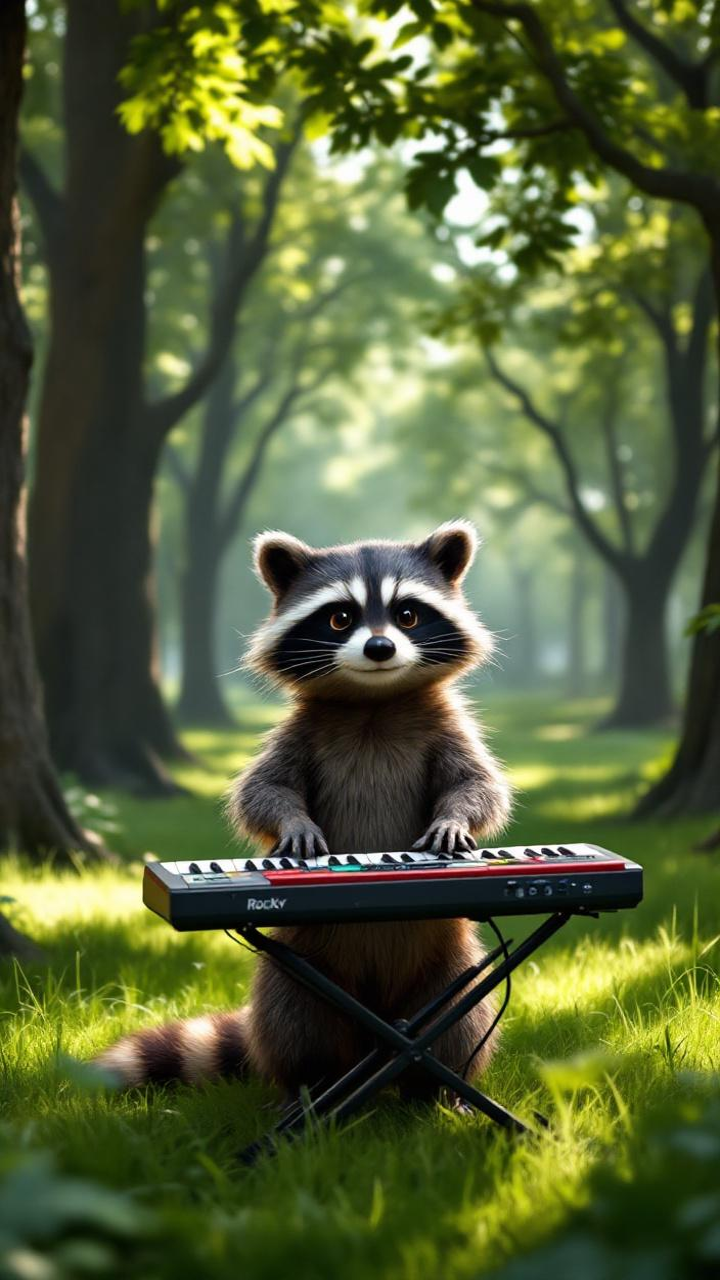
}


Get Story Detail
Retrieves detailed information about a story, including its current status, progress, and generated assets.
Response Fields
| Field | Type | Description |
|---|---|---|
id |
string | Unique story identifier |
status |
string | Current status: new, processing, success, fail |
progress_percentage |
integer | Completion percentage (0-100) |
video_url |
string | URL of the final composed video (available when status is success) |
storyboard |
object | Generated storyboard with characters, environments, objects, and scenes |
scenes |
array | Array of scene objects with images, narrations, and video URLs |
used_credits |
integer | Credits consumed for this story |
created_at |
string | ISO 8601 timestamp of creation |
updated_at |
string | ISO 8601 timestamp of last update |
Status Values
new- Story created but processing hasn't startedprocessing- Story is currently being generatedsuccess- Story generation completed successfullyfail- Story generation failed
Example Request
import requests

BASE_URL = "https://api.vimmerse.net"
STORY_ID = "your-story-id-here"

url = f"{BASE_URL}/story/{STORY_ID}"
headers = {"X-Api-Key": "YOUR_API_KEY"}

try:
    response = requests.get(url, headers=headers, timeout=30)
    response.raise_for_status()

    result = response.json()
    story_data = result["data"]

    print(f"Story ID: {story_data['id']}")
    print(f"Status: {story_data['status']}")
    print(f"Progress: {story_data.get('progress_percentage', 0)}%")

    if story_data['status'] == 'success' and story_data.get('video_url'):
        print(f"Video URL: {story_data['video_url']}")
    elif story_data['status'] == 'fail':
        print("Story generation failed. Check the 'message' field for details.")

except requests.exceptions.HTTPError as e:
    if e.response.status_code == 404:
        print("Story not found. Please verify the story ID.")
    else:
        print(f"HTTP Error: {e}")
except requests.exceptions.RequestException as e:
    print(f"Request failed: {e}")
Error Responses
404- Story not found or you don't have access to this story400- Invalid story ID format
Story Object
Bad Request
Not Found
Validation Error
- curl
- JavaScript
- Python
- Go
- Node.js
- 200
- 400
- 404
- 422
{- "data": {
- "id": "img123-vid456-story789",
- "title": "Product Showcase",
- "is_transition": false,
- "idea": "Cinematic product-only smoothie promo showcasing fresh ingredients",
- "used_credits": 700,
- "progress_percentage": 50,
- "status": "processing",
- "video_url": "",
- "created_at": "2026-02-06 02:05:40.985431+00:00",
- "updated_at": "2026-02-06 02:05:40.985431+00:00"
}
}Update Story
Update story metadata. You can update one or more of the following fields: title, description, visibility_status
header Parameters
Authorization (string) or Authorization (null) (Authorization) | |
Username (string) or Username (null) (Username) | |
X-Client-Type (string) or X-Client-Type (null) (X-Client-Type) |
Request Body schema: application/x-www-form-urlencoded
| title | string (Story Title) New title for the story. If provided, updates the story title. | ||||||||||
| description | string (Story Description) New description for the story. If provided, updates the story description. | ||||||||||
| visibility_status | string (Visibility Status) Visibility Status:
| ||||||||||
| additional_videos | string (Additional Videos) JSON array of additional video URLs to associate with the story. For internal use only. |
Updated Story Object
Bad Request
Not Found
Validation Error
- curl
- JavaScript
- Python
- Go
- Node.js
- 200
- 400
- 404
- 422
{- "data": {
- "is_highlights": "",
- "idea": "Create a promotional video where cute animals play musical instruments.",
- "status": "processing",
- "email": "YOUR_EMAIL",
- "progress_percentage": 10,
- "language": "English",
- "has_bg_music": true,
- "visibility_status": "1",
- "feedback": "",
- "id": "STORY_ID",
- "submit_params": {
- "scale_factor": "1",
- "file_size": "",
- "native_audio": false,
- "extend_video": "No"
}, - "used_credits": 176,
- "pose_preset": [
- {
- "motion_type": "Pixverse",
- "prompt_strength": 3,
- "quantity": 1,
- "motion_amount": 5,
- "motion_length": 5,
- "loop": 1,
- "prompt": ""
}
], - "story_version": 0,
- "image_prompts": [ ],
- "show_title": false,
- "version": "2",
- "created_at": "2025-09-02 17:20:48.587526+00:00",
- "has_narration": true,
- "customer_id": "CUSTOMER_ID",
- "message": "",
- "is_transition": false,
- "scenes": [
- {
- "prompt": "camera motion:dolly in, camera angle:eye level, Melody's fingers gracefully pluck the guitar strings, and blossoms sway gently in the breeze.",
}, - {
- "prompt": "camera motion:zoom in, camera angle:low angle, Riff's hands tap a joyous rhythm, syncing with the rustling leaves.",
}, - {
- "prompt": "camera motion:slow pan left, camera angle:eye level, Harmony's flute serenade carries on the breeze, calming the field around her.",
}, - {
- "prompt": "camera motion:tilt up, camera angle:eye level, Jazz sways his neck with the melody, notes echoing among the trees.",
}
], - "image_urls": [ ],
- "updated_at": "2025-09-02 17:26:03.533765+00:00",
- "note": "",
- "storyboard": {
- "scenes": [
- {
- "name": "Melody's Solo",
- "narrator": "In the heart of the meadow, Melody's gentle strums bring the flowers to life.",
- "image_description": "lighting:golden hour, style:Pixar-style 3D, **Melody**, the rabbit, sits in the **Flower Field**, her small, plush body close-up in frame. She strums the **Guitar**, its wooden body gleaming in the sunlight. Flowers gently sway around her, filling the air with fragrance and color. Her eyes are closed in joy as music flows.",
- "video_description": "camera motion:dolly in, camera angle:eye level, Melody's fingers gracefully pluck the guitar strings, and blossoms sway gently in the breeze."
}, - {
- "name": "Riff's Rhythm",
- "narrator": "Riff's infectious rhythm echoes, a playful beat in nature's symphony.",
- "image_description": "lighting:bright daylight, style:Pixar-style 3D, **Riff the Monkey** is perched atop his **Drum**, surrounded by lush green grass. The scene captures his expressive face and nimble fingers dancing across the drum. His lively eyes watch the world, rhythmically blending with nature's beat. Tiny clouds float in the serene sky above.",
- "video_description": "camera motion:zoom in, camera angle:low angle, Riff's hands tap a joyous rhythm, syncing with the rustling leaves."
}, - {
- "name": "Harmony's Tune",
- "narrator": "With each note, Harmony's gentle tune transforms the field into a serene melody.",
- "image_description": "lighting:soft dusk, style:Pixar-style 3D, A close-up of **Harmony the Sheep**, serenely standing amidst the **Flower Field**. Her soft fleece catches the sunlight as she plays her **Flute**. The camera focuses on her tranquil expression and the gentle breath flowing through the flute, filling the air with soothing notes.",
- "video_description": "camera motion:slow pan left, camera angle:eye level, Harmony's flute serenade carries on the breeze, calming the field around her."
}, - {
- "name": "Jazz's Jam",
- "narrator": "Jazz's towering melodies weave through the trees, inviting nature to dance along.",
- "image_description": "lighting:dappled sunlight, style:Pixar-style 3D, In the **Playful Park**, **Jazz the Giraffe** stands tall, playing a colorful **Keyboard**. His elongated neck and gentle eyes capture the tranquility of the park. The sunlight filters through the trees, casting dappled shadows as his long legs tap in rhythm with his music.",
- "video_description": "camera motion:tilt up, camera angle:eye level, Jazz sways his neck with the melody, notes echoing among the trees."
}
], - "characters": [
- {
- "name": "Melody",
- "description": "Style:Pixar-style 3D, Melody is a white rabbit with soft, plush fur that glimmers in the sunlight. Her large, friendly eyes are a vivid blue, and her pink nose and long ears twitch with every sound. Compact and agile, Melody is youthful and exudes a joyful energy as she strums her tiny guitar."
}, - {
- "name": "Riff",
- "description": "Style:Pixar-style 3D, Riff is a small, lively monkey with a sleek brown fur coat. His bright eyes sparkle with mischief, and his round face is expressive with a wide grin. Agile and compact, Riff is youthful and full of energy, effortlessly beating rhythms as he sits atop his favorite drum."
}, - {
- "name": "Harmony",
- "description": "Style:Pixar-style 3D, Harmony is a woolly sheep with a curly, cream-colored fleece that captures the drifting sunshine. Her gentle, brown eyes convey wisdom and calmness. Her sturdy frame and serene demeanor make her appear older than her years as she plays tunes on her delicate flute."
}, - {
- "name": "Jazz",
- "description": "Style:Pixar-style 3D, Jazz is a tall and elegant giraffe with a golden, spotted coat. His large, inquisitive eyes are calm and thoughtful. His long neck and dexterous form tower gracefully above the scene, skillfully playing notes on his colorful, portable keyboard amidst a canopy of trees."
}
], - "music": {
- "description": "A whimsical, upbeat melody with acoustic guitar, percussion, flute, and piano, creating a joyful, harmonious atmosphere.",
- "lyrics": "In fields where dreams are spun, under the golden sun, animals unite in song, their sweet notes playing along. Melody sings with strings, while Harmony's flute brings peace to all as Riff and Jazz play gleefully. Together they weave nature's harmony.",
}, - "environments": [
- {
- "name": "Flower Field",
- "description": "Style:Pixar-style 3D, A vibrant field filled with wildflowers of every color, basking under the late afternoon sun. The sweet scent of blossoms drifts in the gentle breeze, creating an atmosphere of enchantment and whimsy."
}, - {
- "name": "Playful Park",
- "description": "Style:Pixar-style 3D, A serene park filled with green, shady trees and soft grass where sunlight dances through the leaves, casting playful patterns. It exudes a peaceful, melodic ambiance that invites exploration and harmony."
}
], - "objects": [
- {
- "name": "Guitar",
- "description": "Style:Pixar-style 3D, A small wooden guitar with a polished finish, its strings shimmering in the sunlight. This instrument exudes charm and invites joyous melodies, perfectly fitting for little paws."
}, - {
- "name": "Drum",
- "description": "Style:Pixar-style 3D, A compact, tribal drum with colorful patterns painted on its surface. Its vibrant sound resonates with energy and liveliness."
}, - {
- "name": "Flute",
- "description": "Style:Pixar-style 3D, A slender, wooden flute, smooth and polished, producing gentle, melodious notes. It evokes a sense of nostalgia and serenity."
}, - {
- "name": "Keyboard",
- "description": "Style:Pixar-style 3D, A portable keyboard with brightly colored keys, sleek and modern, allowing the creation of lively, harmonious melodies."
}
]
}, - "manager_id": "USER_ID",
- "medias": [
- {
- "media_id": "96aa0504-3ce5-4e13-89b8-9582316a2faa",
- "source": {
- "prompt": "camera motion:dolly in, camera angle:eye level, Melody's fingers gracefully pluck the guitar strings, and blossoms sway gently in the breeze.",
}, - "item": "acdb-0000001"
}, - {
- "media_id": "07ce2fad-c57b-45a1-964f-8164e9d2edc2",
- "source": {
- "prompt": "camera motion:zoom in, camera angle:low angle, Riff's hands tap a joyous rhythm, syncing with the rustling leaves.",
}, - "item": "acdb-0000002"
}, - {
- "media_id": "4dcb25b7-d72f-4476-bb5a-c0f99640c296",
- "source": {
- "prompt": "camera motion:slow pan left, camera angle:eye level, Harmony's flute serenade carries on the breeze, calming the field around her.",
}, - "item": "acdb-0000003"
}, - {
- "media_id": "91585654-bf97-4506-8543-222077f53112",
- "source": {
- "prompt": "camera motion:tilt up, camera angle:eye level, Jazz sways his neck with the melody, notes echoing among the trees.",
}, - "item": "acdb-0000004"
}
], - "narrator": "Rachel",
- "description": "",
- "failed_medias": [ ],
- "narration_url": "",
- "title": ""
}
}Update Story General Info
Update story general metadata: title, description, visibility_status, and/or rating. All fields are optional.
header Parameters
Authorization (string) or Authorization (null) (Authorization) | |
Username (string) or Username (null) (Username) | |
X-Client-Type (string) or X-Client-Type (null) (X-Client-Type) |
Request Body schema: application/x-www-form-urlencoded
| title | string (Story Title) New title for the story. If provided, updates the story title. | ||||||||||
| description | string (Story Description) New description for the story. If provided, updates the story description. | ||||||||||
| visibility_status | string (Visibility Status) Visibility Status:
| ||||||||||
| rating | number (Rating) Rating value for the story. If provided, updates the story rating (stored as string). |
Updated Story Object
Bad Request
Not Found
Validation Error
- curl
- JavaScript
- Python
- Go
- Node.js
- 200
- 400
- 404
- 422
{- "data": {
- "is_highlights": "",
- "idea": "Create a promotional video where cute animals play musical instruments.",
- "status": "processing",
- "email": "YOUR_EMAIL",
- "progress_percentage": 10,
- "language": "English",
- "has_bg_music": true,
- "visibility_status": "1",
- "feedback": "",
- "id": "STORY_ID",
- "submit_params": {
- "scale_factor": "1",
- "file_size": "",
- "native_audio": false,
- "extend_video": "No"
}, - "used_credits": 176,
- "pose_preset": [
- {
- "motion_type": "Pixverse",
- "prompt_strength": 3,
- "quantity": 1,
- "motion_amount": 5,
- "motion_length": 5,
- "loop": 1,
- "prompt": ""
}
], - "story_version": 0,
- "image_prompts": [ ],
- "show_title": false,
- "version": "2",
- "created_at": "2025-09-02 17:20:48.587526+00:00",
- "has_narration": true,
- "customer_id": "CUSTOMER_ID",
- "message": "",
- "is_transition": false,
- "scenes": [
- {
- "prompt": "camera motion:dolly in, camera angle:eye level, Melody's fingers gracefully pluck the guitar strings, and blossoms sway gently in the breeze.",
}, - {
- "prompt": "camera motion:zoom in, camera angle:low angle, Riff's hands tap a joyous rhythm, syncing with the rustling leaves.",
}, - {
- "prompt": "camera motion:slow pan left, camera angle:eye level, Harmony's flute serenade carries on the breeze, calming the field around her.",
}, - {
- "prompt": "camera motion:tilt up, camera angle:eye level, Jazz sways his neck with the melody, notes echoing among the trees.",
}
], - "image_urls": [ ],
- "updated_at": "2025-09-02 17:26:03.533765+00:00",
- "note": "",
- "storyboard": {
- "scenes": [
- {
- "name": "Melody's Solo",
- "narrator": "In the heart of the meadow, Melody's gentle strums bring the flowers to life.",
- "image_description": "lighting:golden hour, style:Pixar-style 3D, **Melody**, the rabbit, sits in the **Flower Field**, her small, plush body close-up in frame. She strums the **Guitar**, its wooden body gleaming in the sunlight. Flowers gently sway around her, filling the air with fragrance and color. Her eyes are closed in joy as music flows.",
- "video_description": "camera motion:dolly in, camera angle:eye level, Melody's fingers gracefully pluck the guitar strings, and blossoms sway gently in the breeze."
}, - {
- "name": "Riff's Rhythm",
- "narrator": "Riff's infectious rhythm echoes, a playful beat in nature's symphony.",
- "image_description": "lighting:bright daylight, style:Pixar-style 3D, **Riff the Monkey** is perched atop his **Drum**, surrounded by lush green grass. The scene captures his expressive face and nimble fingers dancing across the drum. His lively eyes watch the world, rhythmically blending with nature's beat. Tiny clouds float in the serene sky above.",
- "video_description": "camera motion:zoom in, camera angle:low angle, Riff's hands tap a joyous rhythm, syncing with the rustling leaves."
}, - {
- "name": "Harmony's Tune",
- "narrator": "With each note, Harmony's gentle tune transforms the field into a serene melody.",
- "image_description": "lighting:soft dusk, style:Pixar-style 3D, A close-up of **Harmony the Sheep**, serenely standing amidst the **Flower Field**. Her soft fleece catches the sunlight as she plays her **Flute**. The camera focuses on her tranquil expression and the gentle breath flowing through the flute, filling the air with soothing notes.",
- "video_description": "camera motion:slow pan left, camera angle:eye level, Harmony's flute serenade carries on the breeze, calming the field around her."
}, - {
- "name": "Jazz's Jam",
- "narrator": "Jazz's towering melodies weave through the trees, inviting nature to dance along.",
- "image_description": "lighting:dappled sunlight, style:Pixar-style 3D, In the **Playful Park**, **Jazz the Giraffe** stands tall, playing a colorful **Keyboard**. His elongated neck and gentle eyes capture the tranquility of the park. The sunlight filters through the trees, casting dappled shadows as his long legs tap in rhythm with his music.",
- "video_description": "camera motion:tilt up, camera angle:eye level, Jazz sways his neck with the melody, notes echoing among the trees."
}
], - "characters": [
- {
- "name": "Melody",
- "description": "Style:Pixar-style 3D, Melody is a white rabbit with soft, plush fur that glimmers in the sunlight. Her large, friendly eyes are a vivid blue, and her pink nose and long ears twitch with every sound. Compact and agile, Melody is youthful and exudes a joyful energy as she strums her tiny guitar."
}, - {
- "name": "Riff",
- "description": "Style:Pixar-style 3D, Riff is a small, lively monkey with a sleek brown fur coat. His bright eyes sparkle with mischief, and his round face is expressive with a wide grin. Agile and compact, Riff is youthful and full of energy, effortlessly beating rhythms as he sits atop his favorite drum."
}, - {
- "name": "Harmony",
- "description": "Style:Pixar-style 3D, Harmony is a woolly sheep with a curly, cream-colored fleece that captures the drifting sunshine. Her gentle, brown eyes convey wisdom and calmness. Her sturdy frame and serene demeanor make her appear older than her years as she plays tunes on her delicate flute."
}, - {
- "name": "Jazz",
- "description": "Style:Pixar-style 3D, Jazz is a tall and elegant giraffe with a golden, spotted coat. His large, inquisitive eyes are calm and thoughtful. His long neck and dexterous form tower gracefully above the scene, skillfully playing notes on his colorful, portable keyboard amidst a canopy of trees."
}
], - "music": {
- "description": "A whimsical, upbeat melody with acoustic guitar, percussion, flute, and piano, creating a joyful, harmonious atmosphere.",
- "lyrics": "In fields where dreams are spun, under the golden sun, animals unite in song, their sweet notes playing along. Melody sings with strings, while Harmony's flute brings peace to all as Riff and Jazz play gleefully. Together they weave nature's harmony.",
}, - "environments": [
- {
- "name": "Flower Field",
- "description": "Style:Pixar-style 3D, A vibrant field filled with wildflowers of every color, basking under the late afternoon sun. The sweet scent of blossoms drifts in the gentle breeze, creating an atmosphere of enchantment and whimsy."
}, - {
- "name": "Playful Park",
- "description": "Style:Pixar-style 3D, A serene park filled with green, shady trees and soft grass where sunlight dances through the leaves, casting playful patterns. It exudes a peaceful, melodic ambiance that invites exploration and harmony."
}
], - "objects": [
- {
- "name": "Guitar",
- "description": "Style:Pixar-style 3D, A small wooden guitar with a polished finish, its strings shimmering in the sunlight. This instrument exudes charm and invites joyous melodies, perfectly fitting for little paws."
}, - {
- "name": "Drum",
- "description": "Style:Pixar-style 3D, A compact, tribal drum with colorful patterns painted on its surface. Its vibrant sound resonates with energy and liveliness."
}, - {
- "name": "Flute",
- "description": "Style:Pixar-style 3D, A slender, wooden flute, smooth and polished, producing gentle, melodious notes. It evokes a sense of nostalgia and serenity."
}, - {
- "name": "Keyboard",
- "description": "Style:Pixar-style 3D, A portable keyboard with brightly colored keys, sleek and modern, allowing the creation of lively, harmonious melodies."
}
]
}, - "manager_id": "USER_ID",
- "medias": [
- {
- "media_id": "96aa0504-3ce5-4e13-89b8-9582316a2faa",
- "source": {
- "prompt": "camera motion:dolly in, camera angle:eye level, Melody's fingers gracefully pluck the guitar strings, and blossoms sway gently in the breeze.",
}, - "item": "acdb-0000001"
}, - {
- "media_id": "07ce2fad-c57b-45a1-964f-8164e9d2edc2",
- "source": {
- "prompt": "camera motion:zoom in, camera angle:low angle, Riff's hands tap a joyous rhythm, syncing with the rustling leaves.",
}, - "item": "acdb-0000002"
}, - {
- "media_id": "4dcb25b7-d72f-4476-bb5a-c0f99640c296",
- "source": {
- "prompt": "camera motion:slow pan left, camera angle:eye level, Harmony's flute serenade carries on the breeze, calming the field around her.",
}, - "item": "acdb-0000003"
}, - {
- "media_id": "91585654-bf97-4506-8543-222077f53112",
- "source": {
- "prompt": "camera motion:tilt up, camera angle:eye level, Jazz sways his neck with the melody, notes echoing among the trees.",
}, - "item": "acdb-0000004"
}
], - "narrator": "Rachel",
- "description": "",
- "failed_medias": [ ],
- "narration_url": "",
- "title": ""
}
}Concat Story
Composes all generated scene videos into a single final story video.
This endpoint concatenates individual scene videos (and optionally custom video URLs) into one cohesive story video with synchronized audio.
Use Cases
- Compose scene videos generated in Advanced Mode
- Combine custom video URLs with generated scenes
- Add background audio to the final composition
Parameters
| Parameter | Type | Required | Default | Description |
|---|---|---|---|---|
concat_video_urls |
array[string] | No | null | Array of video URLs to compose. If not provided, uses generated scene videos. |
audio_urls |
array[string] | No | null | Array of background audio URLs to overlay on the final video |
Example Request
import requests

STORY_ID = "your-story-id-here"
url = f"https://api.vimmerse.net/story/{STORY_ID}/concat"
headers = {"X-Api-Key": "YOUR_API_KEY"}

# Option 1: Compose generated scene videos (no parameters needed)
payload = {}

# Option 2: Compose custom video URLs
payload = {
    "concat_video_urls": [
        "https://example.com/video1.mp4",
        "https://example.com/video2.mp4",
        "https://example.com/video3.mp4"
    ],
    "audio_urls": [
        "https://example.com/background-music.mp3"
    ]
}

try:
    response = requests.post(url, headers=headers, data=payload, timeout=60)
    response.raise_for_status()

    result = response.json()
    print(f"Composition started for story: {result['data']['id']}")

    # Monitor progress using GET /story/{story_id}
    # The video_url field will be populated when composition completes

except requests.exceptions.RequestException as e:
    print(f"Error: {e}")
Monitoring Composition
After initiating composition, check the story status:
import requests
import time

STORY_ID = "your-story-id-here"

def get_final_video(story_id):
    url = f"https://api.vimmerse.net/story/{story_id}"
    headers = {"X-Api-Key": "YOUR_API_KEY"}
    try:
        response = requests.get(url, headers=headers, timeout=30)
        response.raise_for_status()
        return response.json()["data"].get("video_url")
    except requests.exceptions.RequestException:
        return None

# Wait for composition to complete (max ~5 minutes)
for _ in range(30):
    video_url = get_final_video(STORY_ID)
    if video_url:
        print(f"Final video: {video_url}")
        break
    print("Composition in progress...")
    time.sleep(10)
else:
    print("Timeout: Check status later with GET /story/{story_id}")
Note: Composition typically takes 1-3 minutes depending on video length and number of scenes.
header Parameters
Authorization (string) or Authorization (null) (Authorization) | |
Username (string) or Username (null) (Username) | |
X-Client-Type (string) or X-Client-Type (null) (X-Client-Type) |
Request Body schema: application/x-www-form-urlencoded
| concat_video_urls | Array of strings (Video URLs to Compose) Array of video URLs to compose into the final story video. If not provided, uses the generated scene videos from the story. |
| audio_urls | Array of strings (Background Audio URLs) Array of background audio URLs to overlay on the final composed video. Multiple audio files will be mixed together. |
Story Object
Bad Request
Insufficient Credit
Not Found
Validation Error
- curl
- JavaScript
- Python
- Go
- Node.js
- 200
- 400
- 402
- 404
- 422
{ }